Allocation Create Form Customization
Resource Description
When requesting a new allocation, it is possible to display a description for the currently selected resource.
To define a description, navigate to the RESOURCE > Resource page in the Django admin interface, select a resource, scroll down to the RESOURCE ATTRIBUTES section, and then create a new resource attribute of type form_description:
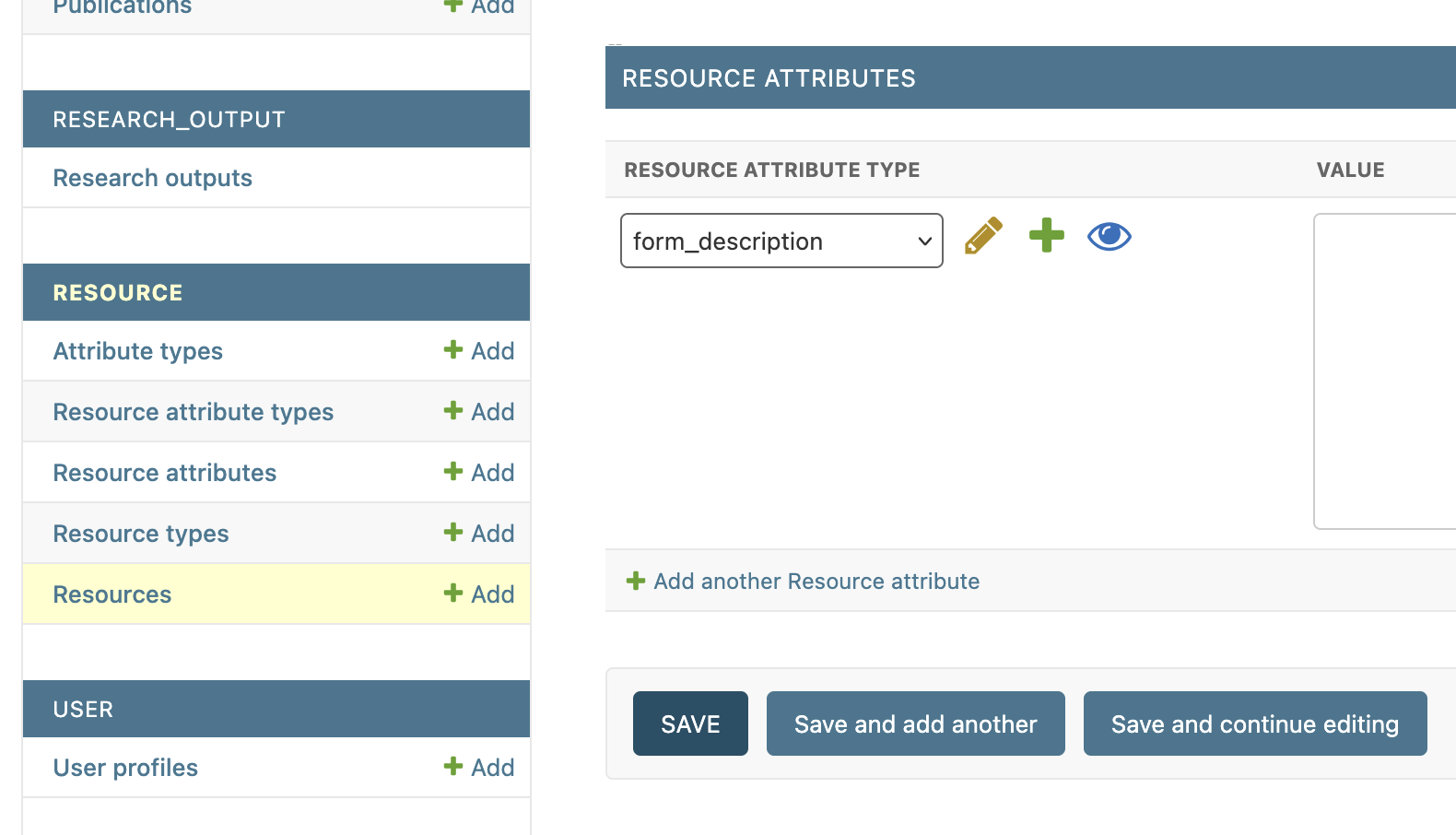
In the following example, the value for form_description is:
Please specify the lifespan of the quota as well as the speed type.
<a href="">test link</a>
And here it is in the allocation create form:
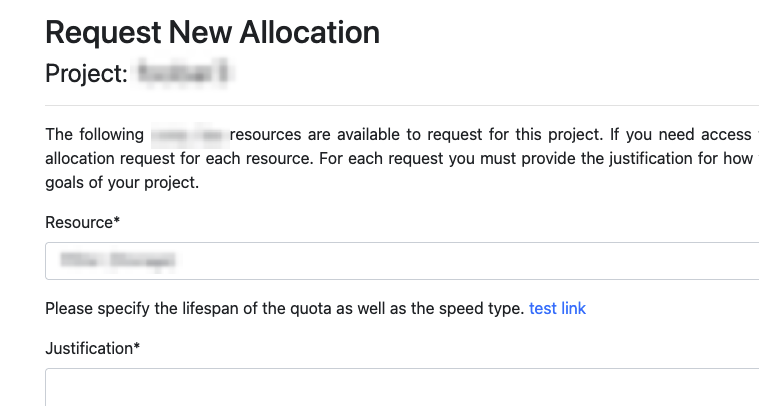
The description is displayed as raw HTML. This means that you can include hyperlinks or even images.
Coming Soon
There are plans to implement more allocation form customization features in the future, such as automatic allocation attribute creation.